After logging in, you will be able create a fully customizable RSVP event. Does your event have a set number of seats? Would you like to invite attendees to bring guests? Or would you like to ask attendees to bring a certain food dish to share? You can do all of this with the RSVP System.
- Log in to COPE using your NetID and password.
- Select RSVP System from the main navigation bar.

- From the main page, click Create New Event Registration.

- Fill in the appropriate fields, noting that the Event Title, Date and Time, and Contact Information are required.
- Options you may add to your event include the following:
-
Add a description of your event.

-
Require or strongly encourage registration.

-
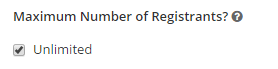
Limit the space for your event.
-
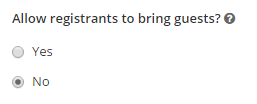
Invite registrants to bring guests.
-
Set registration opening and closing dates.

-
Request information like first and last name, email, campus affiliation, or other custom options when a user registers. This is a great place to make requests if a user is to bring something, as you are able to change the type of response from text, yes or no, or multiple choice.

-
Finally, you may customize the notification and confirmation emails you and the registrant will receive.

-
Add a description of your event.
- Be sure to click Submit your Changes when you are finished.